Install the App
Install on desktop
You can install the app on any computer without using the browser each time:
-
First install Google Chrome.
-
Open your company portal in this browser.
-
In the address bar, click Install Nivimu.
-
Click Install and the app will open on your computer.
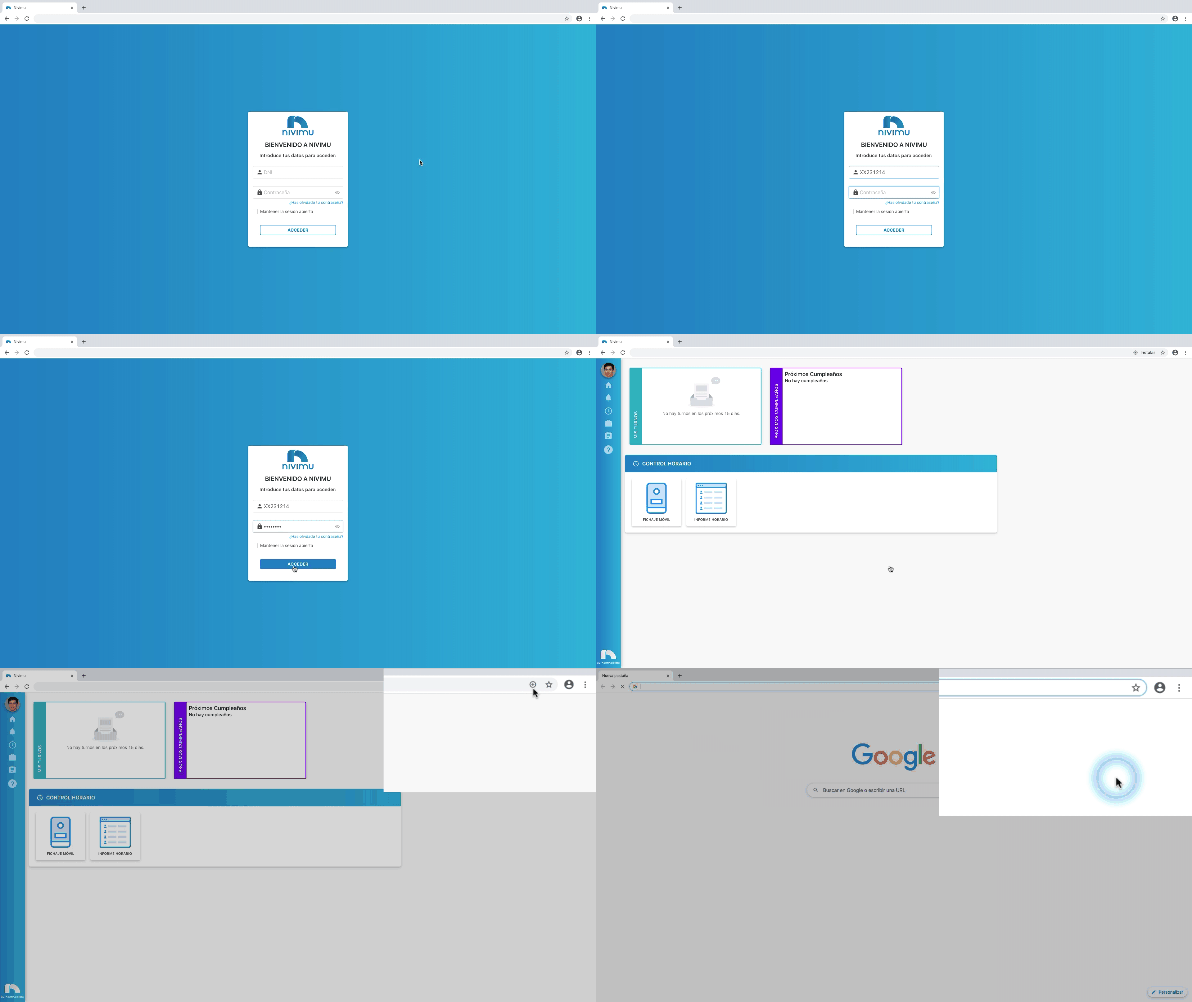
On macOS, Finder may open showing the file location. You can move that file wherever you prefer for easier access.
Install on mobile or tablet
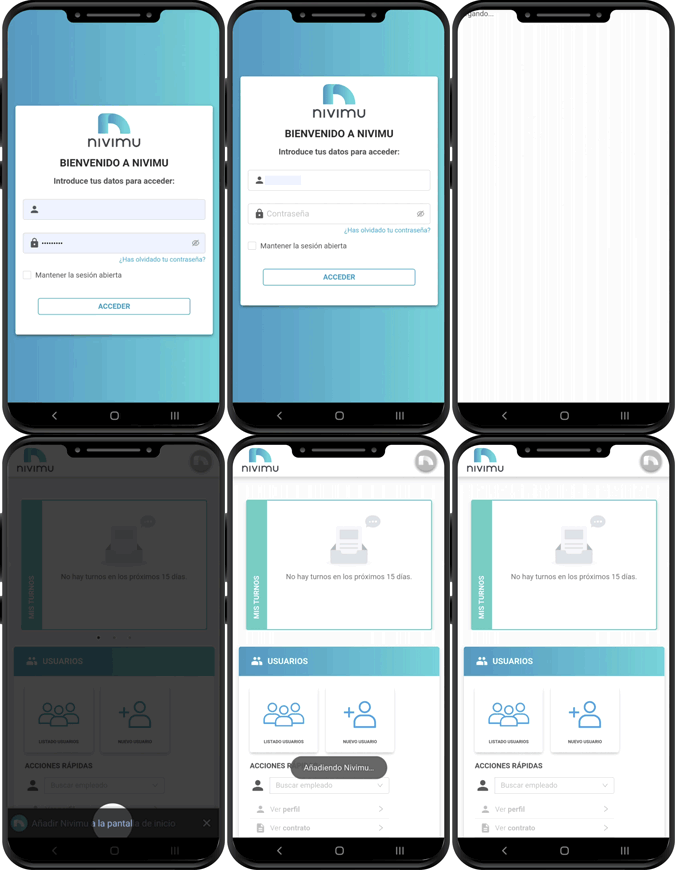
You can also install the app on any phone or tablet so it appears in your app list.
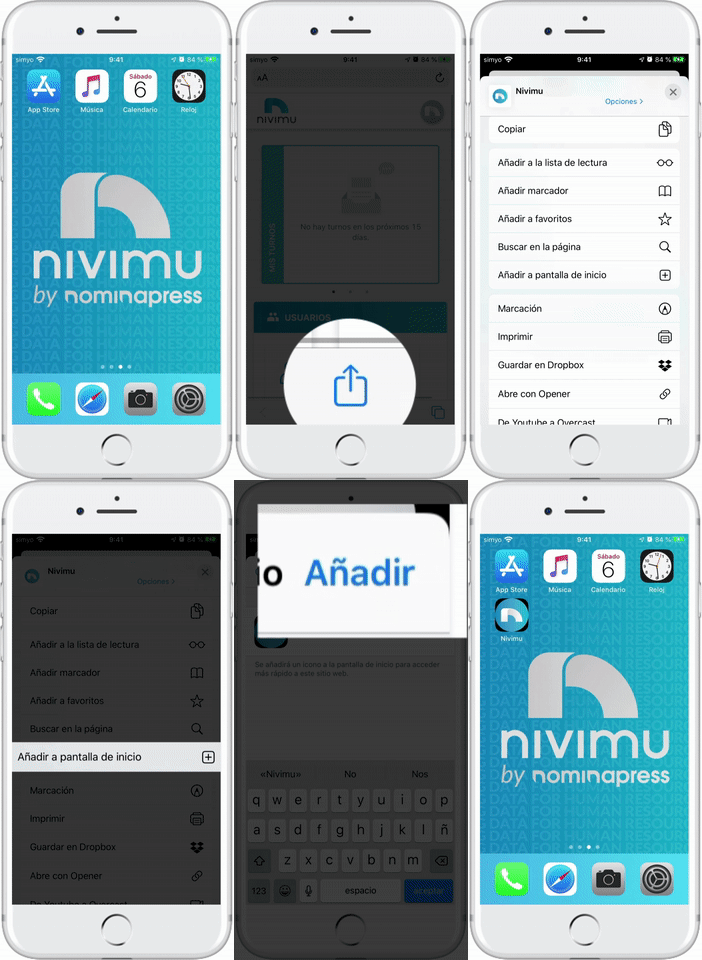
iPhone or iPad
- Open your company portal in Safari.
- Sign in with your credentials.
- Tap the share icon.
- Tap Add to Home Screen.
- Tap Add.
Android
-
Open your company portal in Chrome.
-
Sign in with your credentials.
-
Refresh the page (pull to refresh) or open the menu (⋮) and tap reload.
-
After refresh, a prompt should appear at the bottom. If not, refresh again.
-
Tap Add Nivimu to Home screen.
-
In the new screen, tap Add.
-
Close Chrome and open your app drawer. The app icon should be there.