Download CSV
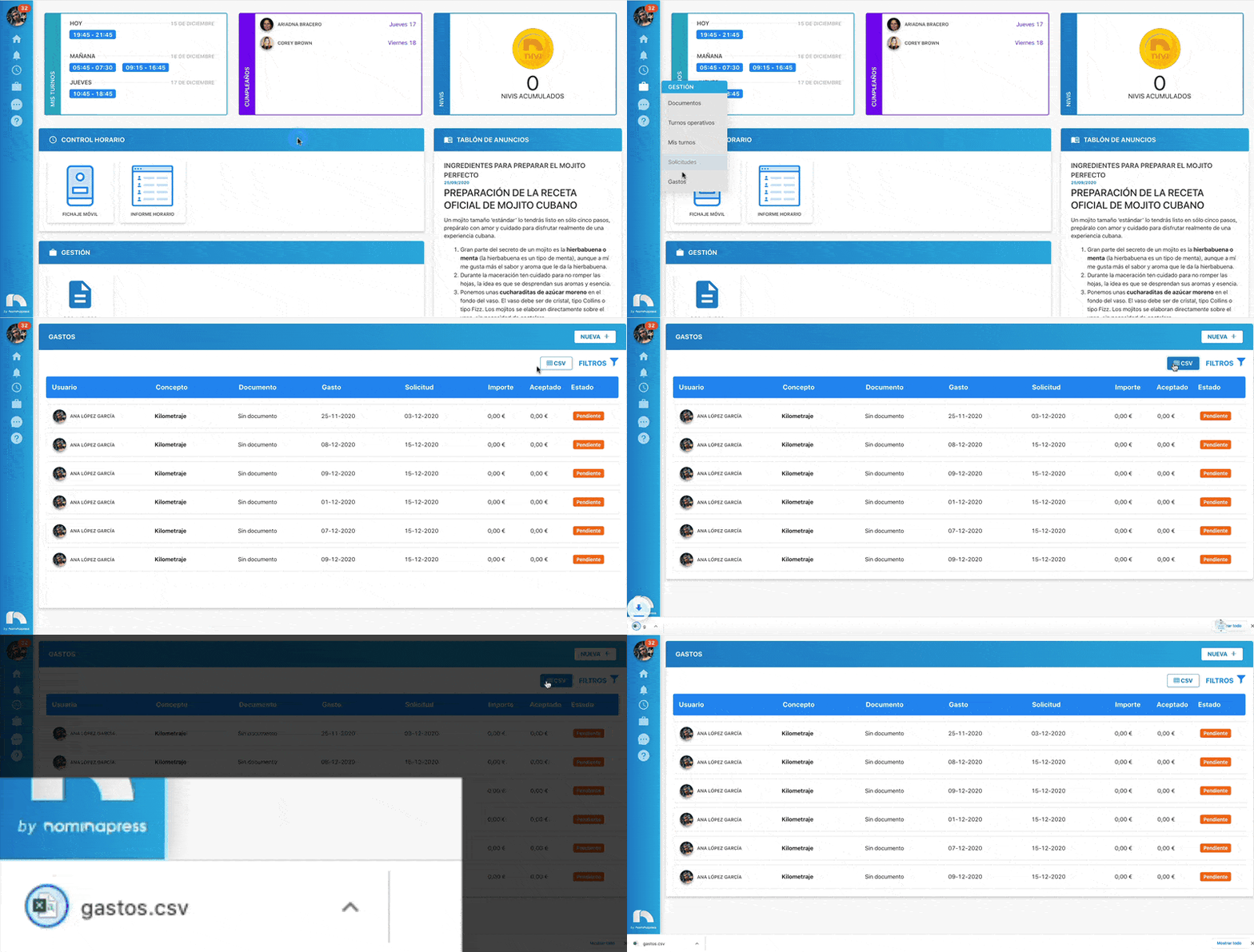
Within the Expenses section, you can download the expense list in CSV format. To do this:
- Open the app menu and under Management, click Expenses.
- Use the filters you want to apply.
- Once filters are chosen, click the CSV icon at the top of the screen.
- The CSV file will download with the applied filters.