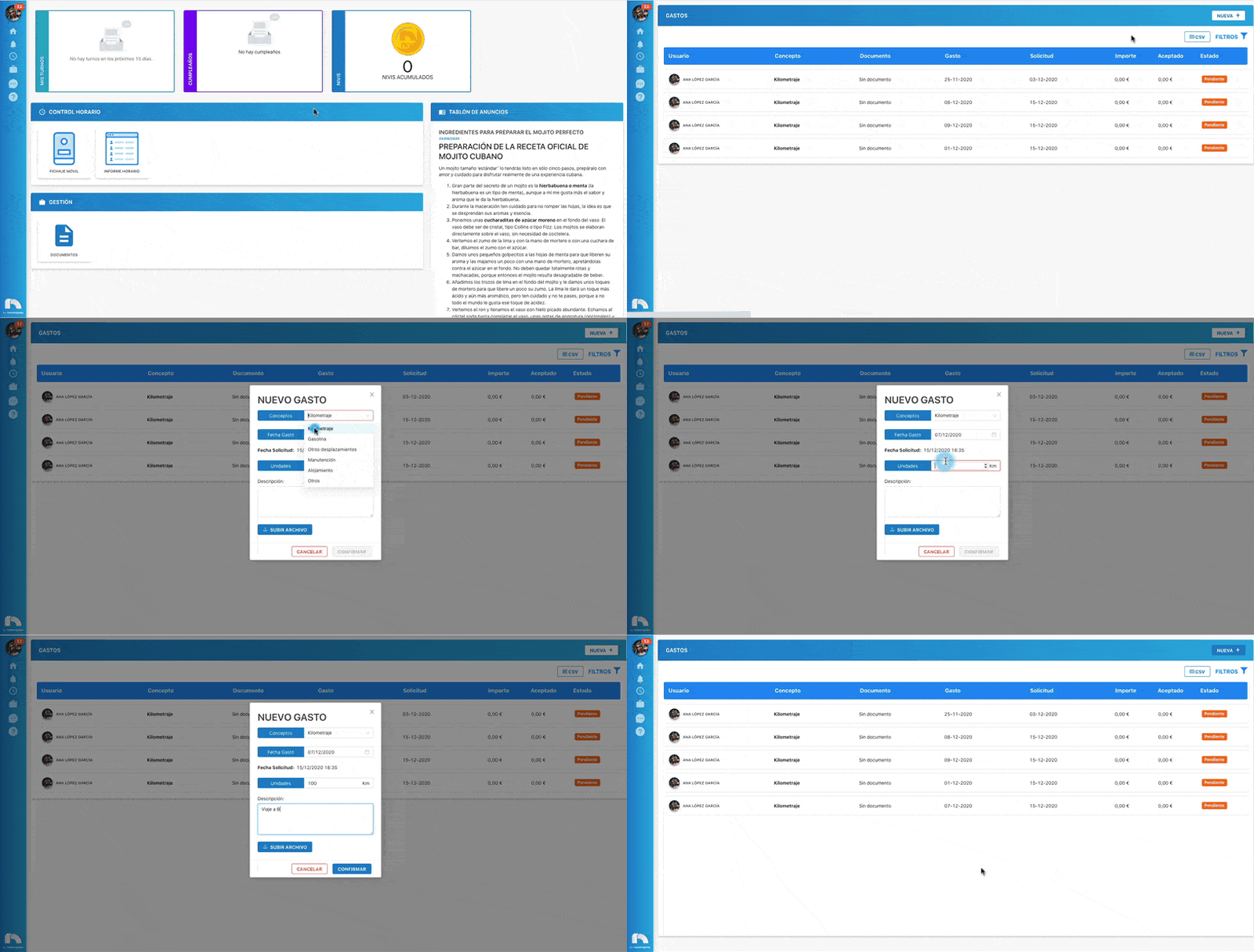
New Expense
+ New Expense
To create a new expense:
- Open the app menu and under Management, click expenses.
- At the top right, click New +.
- Select the user for whom you want to create the Expense.
- In Concept, select the expense concept you want to create (Mileage, Fuel, Other travel, Meals, Accommodation, and Other).
- To choose the date the expense occurred, click Expense Date.
- In Amount, indicate the exact expense amount.
- Then in Description, write a short text describing the expense type.
- Next, you can attach the ticket, invoice, or document justifying the expense by clicking Upload file (remember it accepts .jpg and .pdf files).
- Finally, click Confirm to add the expense.