Documents
From the app, you can view and download all your documents at any time:
-
From your Dashboard, access Management > Documents.
-
See a table with all documents assigned to you (payrolls, settlements, contracts, liquidations, advances, extras, certificates, and bonuses).
-
To find a specific document, use the filters at the top of the table. Filter by date or document type.
-
Once the document is located, click View/Download to access it or save it.
-
Click View/Download.
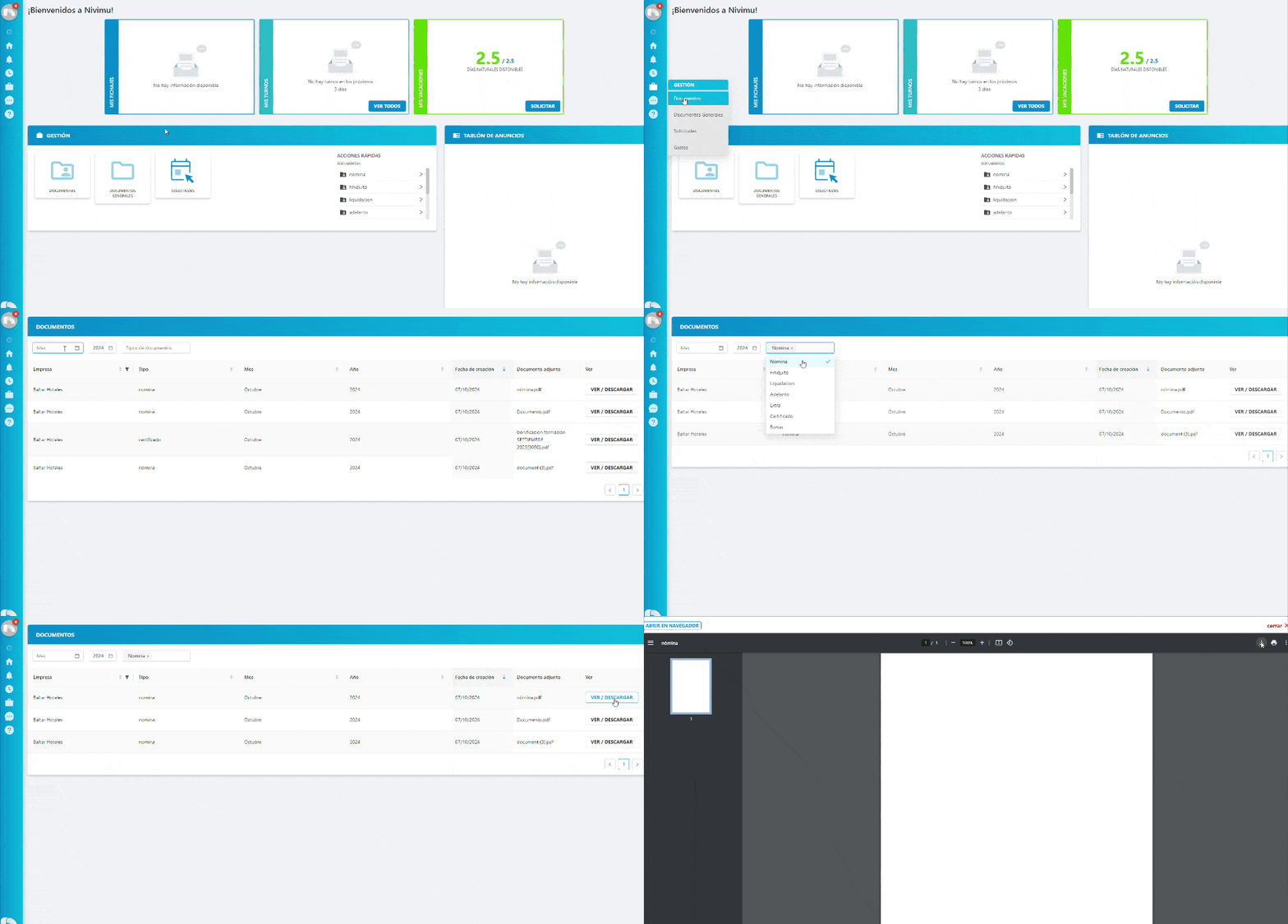
You can filter table content to find the document you want faster. To do this, click the field you want to filter by at the top of the table.