Change Password
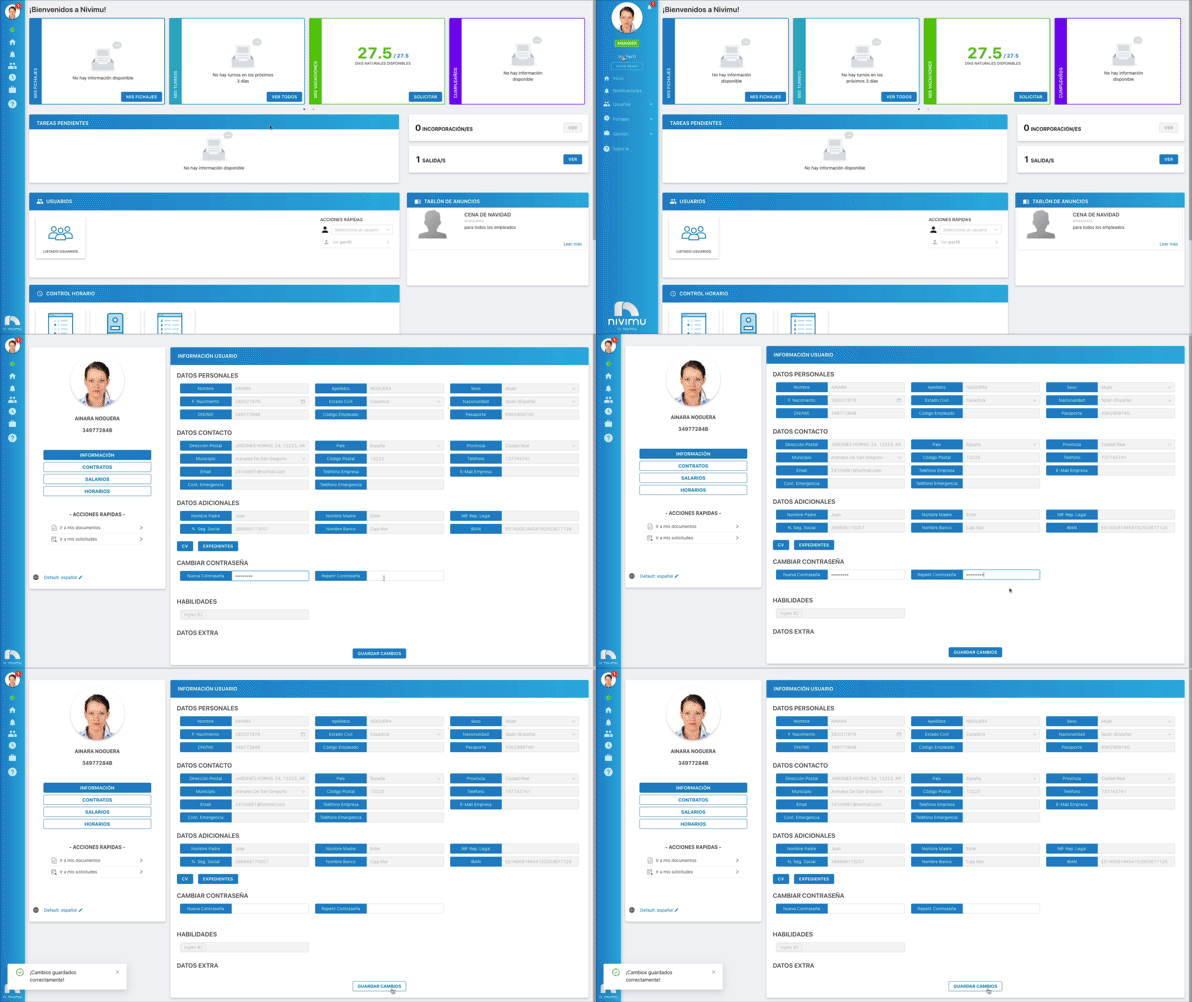
To change your account password:
-
Open the app menu and click View Profile.
-
Once you've accessed the profile, click Information.
-
In the Change password section, type the new password, then enter it again to confirm.
-
Click Save changes.