Download time report
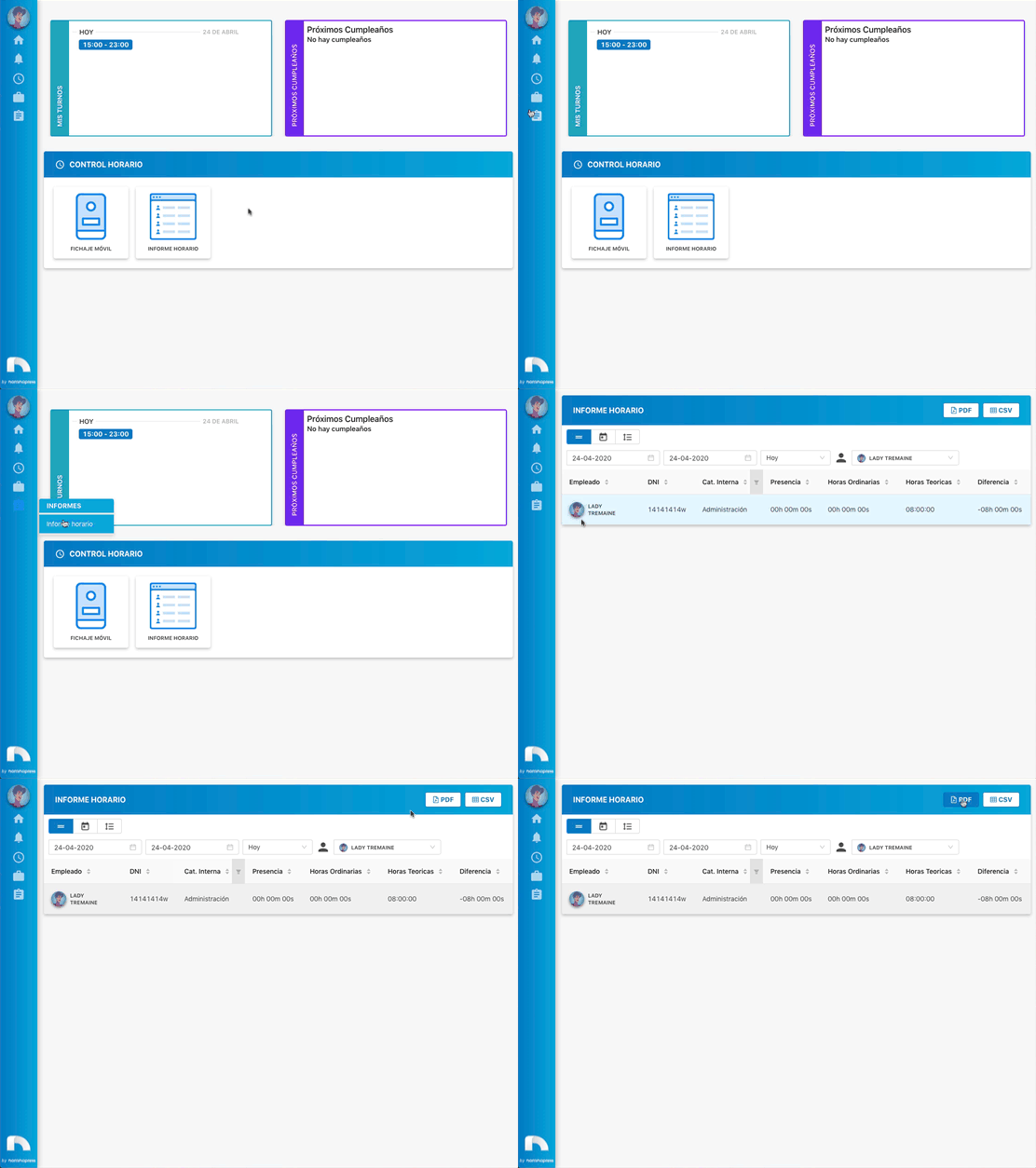
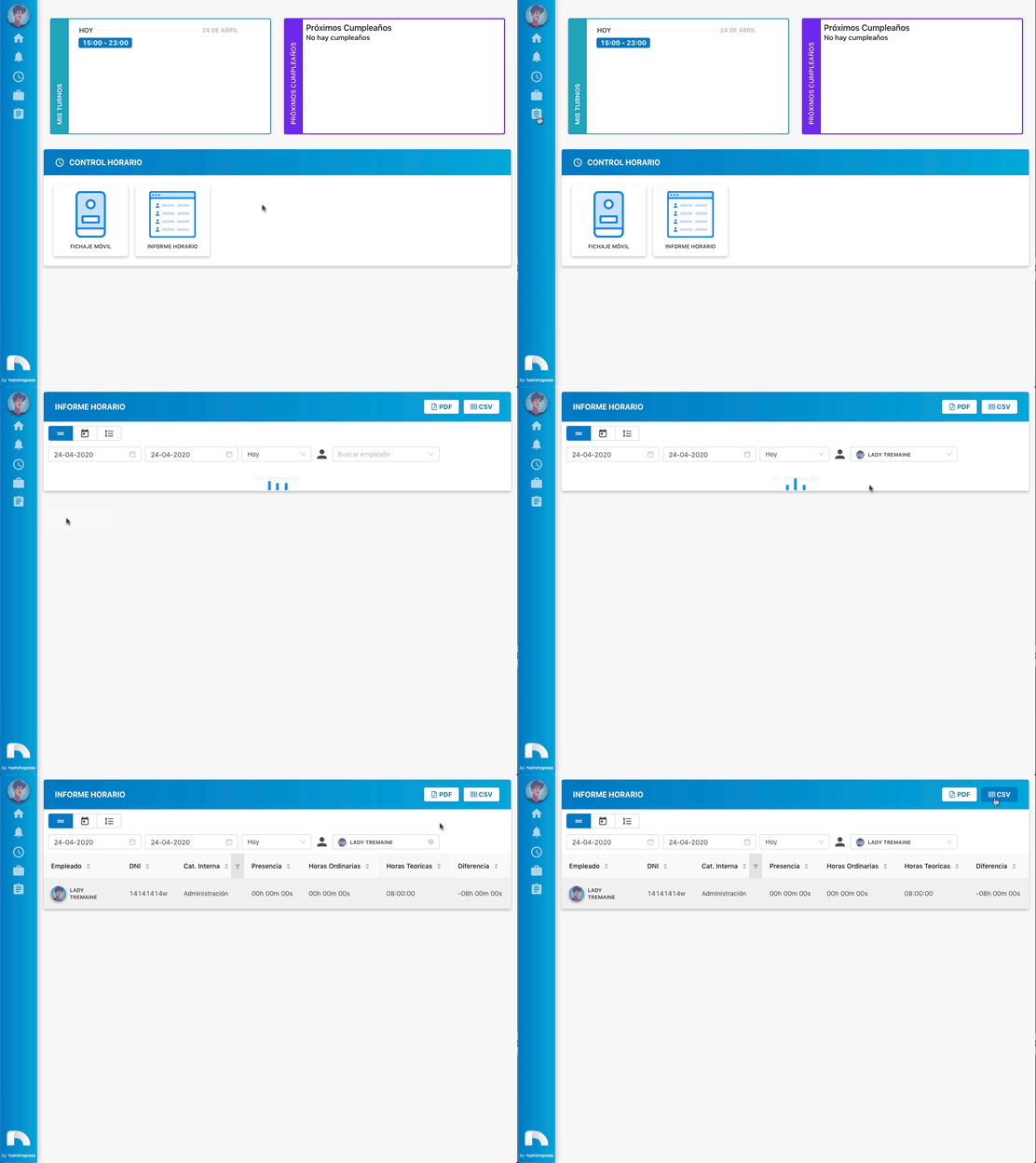
Within Time Report you have two possibilities to download the data you are interested in, either through a CSV file to obtain an editable table in any other application, or through a PDF file to be able to print it.
CSV File
-
Open the top menu and in the Reports section click Time Report.
-
Choose a time period that you want to appear in your report.
-
To download the report in CSV format, click the CSV button.
-
When you click, the report will automatically download so you can import it into any application.
PDF File
-
Open the top menu and in the Reports section click Time Report.
-
Choose a time period that you want to appear in your report.
-
To download the report in PDF format, click the PDF button.
-
When you click, a new browser tab will open to download the document or print it.