New Request
Request Types
- Clocking Incident
- Vacation
- Travel
- Other Reasons
New Request
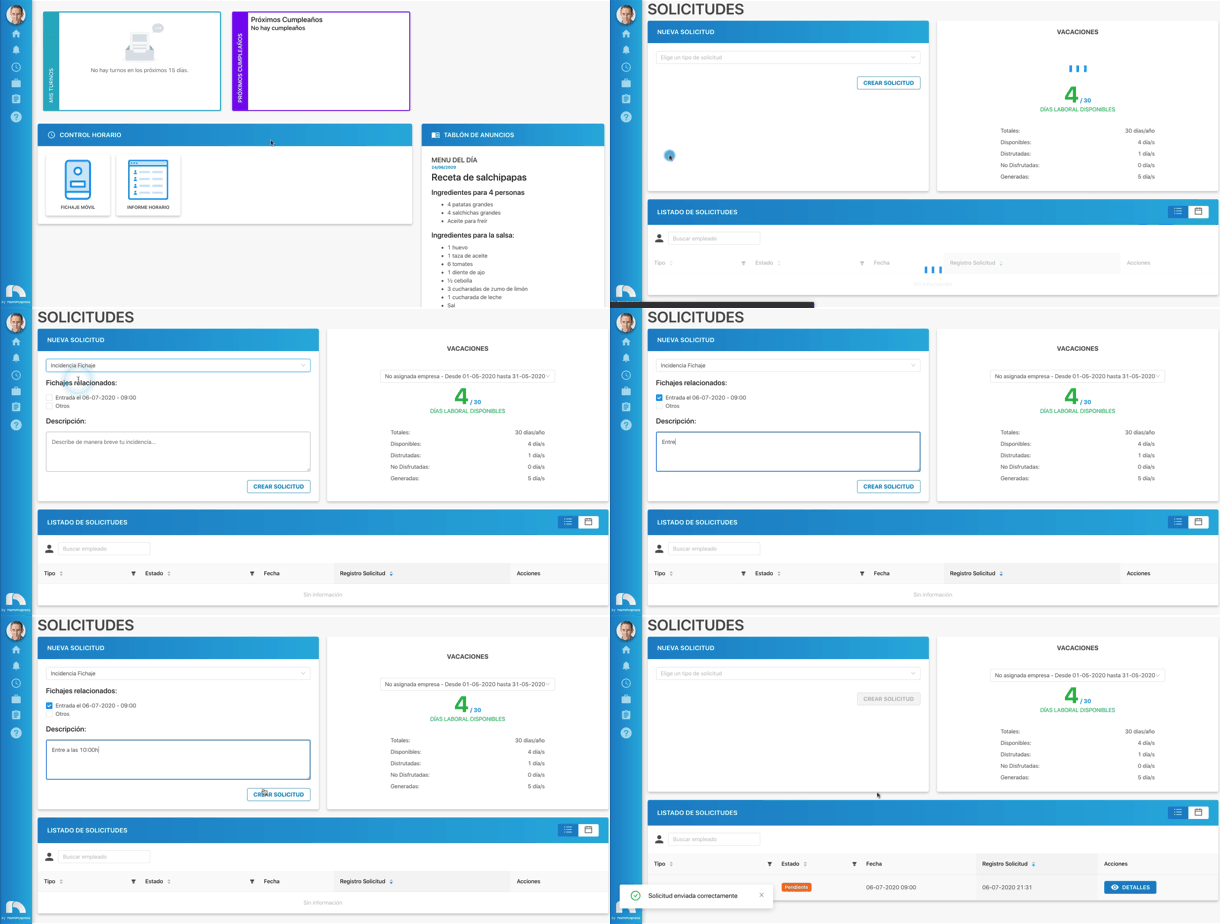
To create a request:
- Open the app menu and under Management, click Requests.
- In the New request section, click the Choose a request type dropdown to select which request you want to send.
- Once the type is chosen, new sections open based on the selected request class. For all types except clocking incident and other reasons, select the day(s) when the request will be.
- When selecting Absences or Sick leaves, an Upload File button appears to attach the justification for that absence or sick leave.
- To choose the date, click the Start date calendar and click the request start day.
- Then click the End date calendar and select the request end day. If you only want to select one day, choose the same day in both selectors.
- Finally, click Create Request.